One active workout, saved as you go
Personal Woke keeps one active workout at a time. Starting a workout creates that live record, and your changes are saved while you train. If you leave the page, close the browser or switch devices, open Personal Woke again and resume the same active workout.
An internet connection is required to load the workspace and save the current state. If the connection drops, reconnect and confirm the current workout before relying on a recent change. Avoid editing the same active workout on two devices at the same moment.
Previous, Target and Actual answer different questions
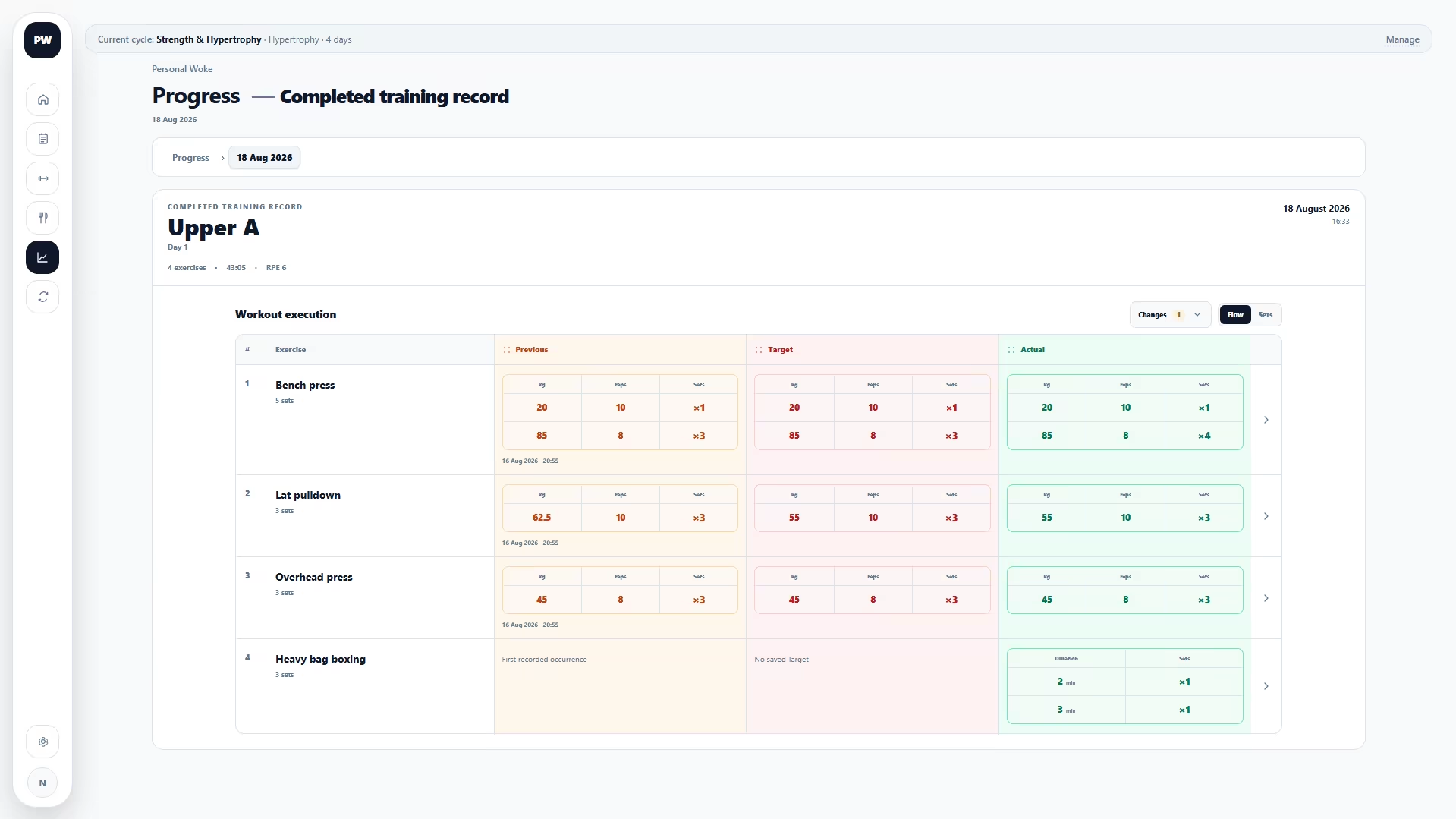
The values from the previous completed occurrence of the same exercise in the current Training Cycle.
The required goal saved for this exercise in today's planned Training Day.
The values you record while training. Actual never silently changes Target.
Use the copy controls to place Previous or Target values into Actual when that saves time. The copied values are only a starting point: edit them to match what you really complete.
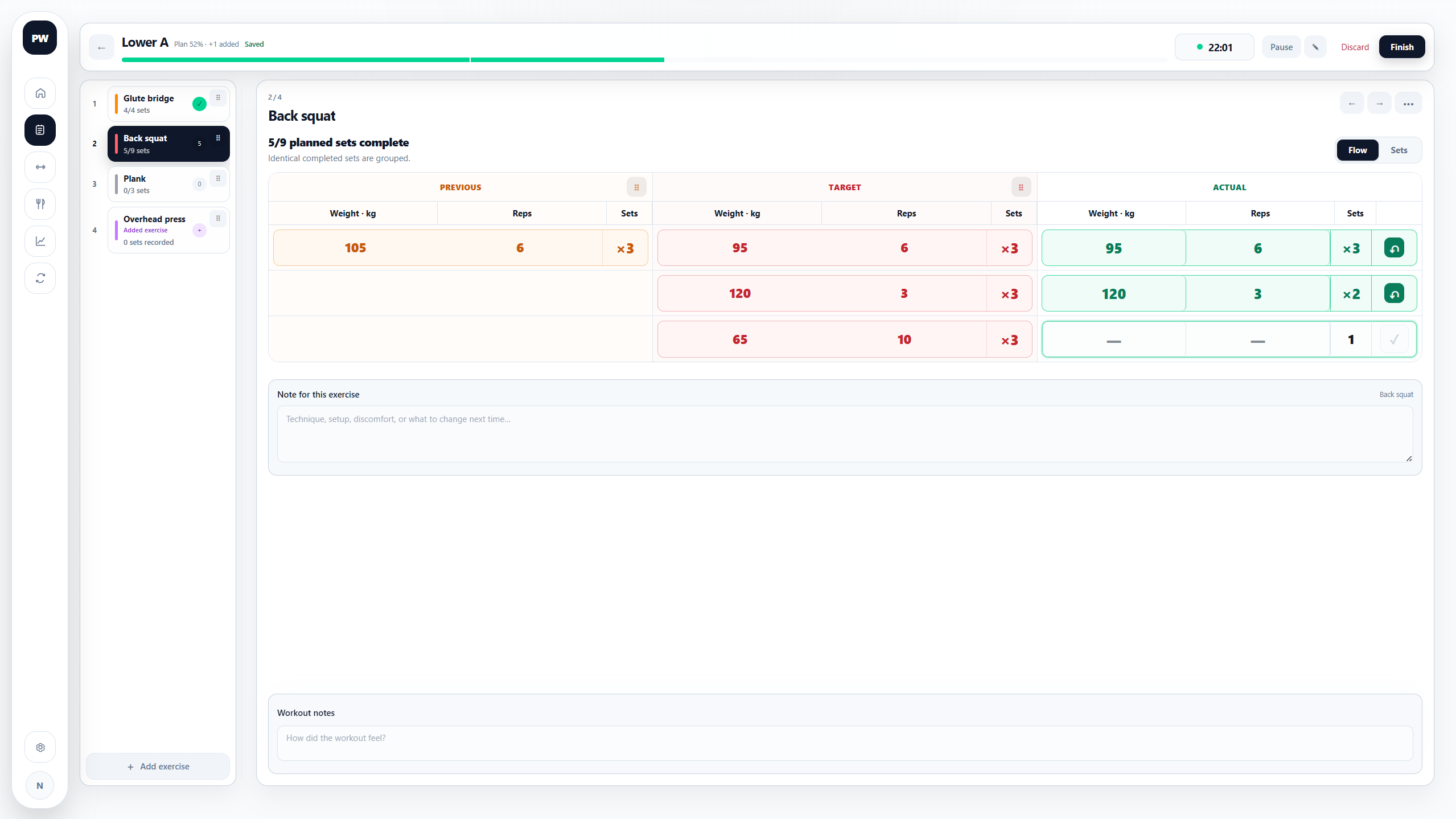
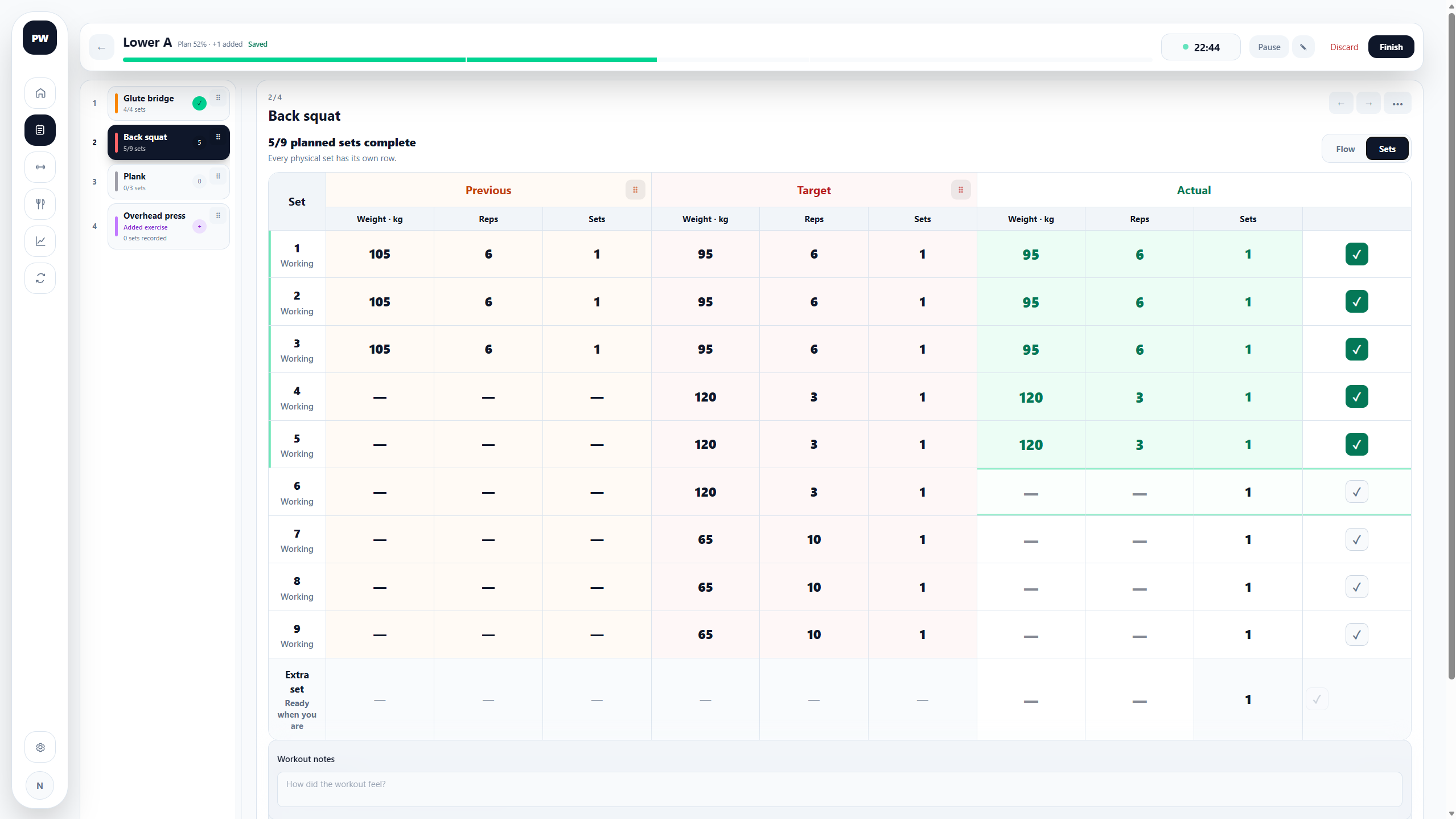
Flow and Sets are two views of the same data
Flow groups identical set patterns into one row. Sets shows every set separately. Switching views does not create a second workout or change the values.
When today's workout changes
- Skip leaves the planned exercise visible as skipped, keeps its Target and can keep a reason.
- Replace preserves what was originally planned and records the substitute you actually performed.
- Restore brings a skipped or replaced planned exercise back before finishing.
- Add puts another exercise into today's workout without adding it to the reusable Training Day.
- Reorder changes only the order in this active workout.
These actions explain the difference between the plan and reality. They do not edit the reusable Training Day. To make a permanent change, edit the Training Day in Planning.
Removing an exercise from an active free workout removes the sets already recorded for that exercise from the workout. The same applies to an exercise that was added only to today's planned workout.
Notes keep their context
A note saved with a planned exercise explains the plan. A note entered for an exercise occurrence explains that exercise in this workout. A workout note describes the session as a whole. A change reason explains why something was skipped, replaced or added. Personal Woke keeps these as different pieces of context instead of merging them into one note.
Notes appear with the completed occurrence so you can understand the numbers later.
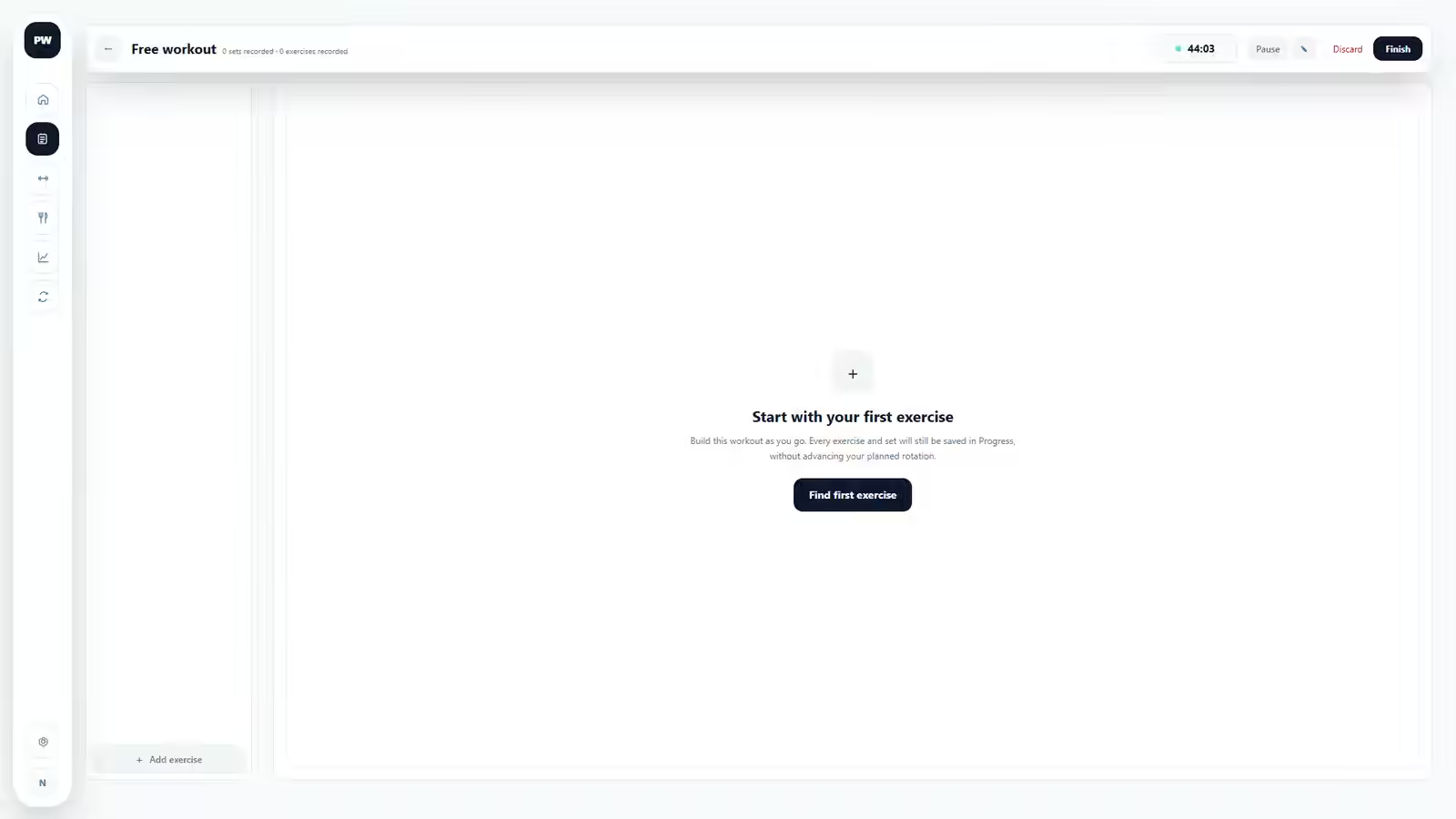
Free workout
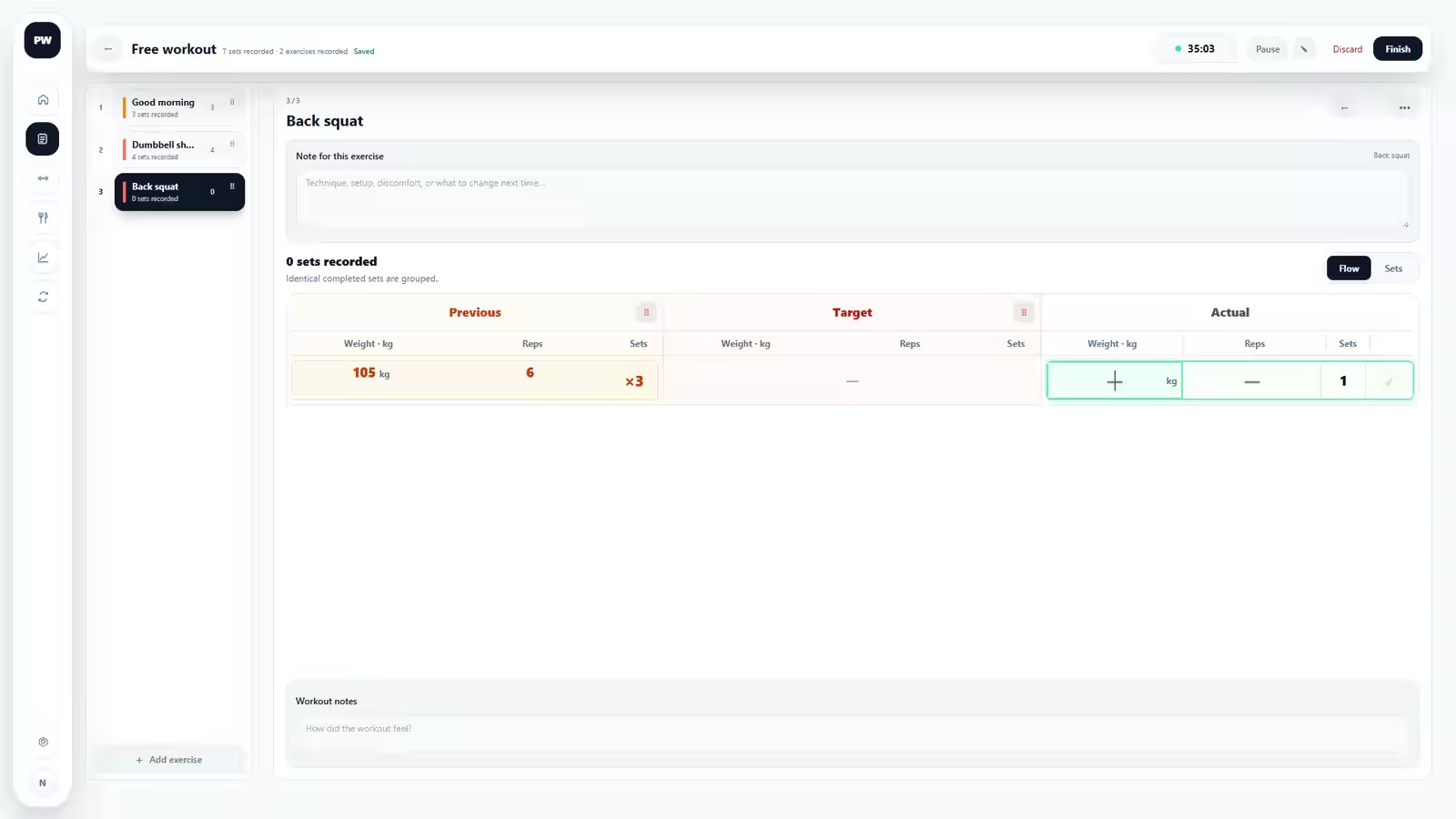
A free workout starts empty and has no Target because it did not come from a Training Day. Add exercises as you go. When the current Training Cycle already contains a completed occurrence of an exercise, Previous appears after you add it.
A free workout needs completed work before it can be finished, so an empty session is not added to Progress. Finishing a free workout saves its completed exercise occurrences to history but does not advance the planned Training Day rotation.
Finish, resume or discard
Finish saves the workout as completed. If some planned exercises or sets are incomplete, the record keeps that reality instead of inventing zeros, and the planned rotation still advances to the next Training Day. Review the finish summary before confirming.
Resume leaves the workout active so you can continue later.
Discard changes the session to a discarded state and keeps it out of Previous, normal completed history and Progress. The timer stops, while the elapsed time, exercises, sets, entered values and notes remain stored with the account until account deletion. Discarding does not advance the planned rotation.
The workout timer and whole-workout RPE are optional. The timer measures total workout duration and can be paused or resumed; leaving either feature unused does not make the workout incomplete.
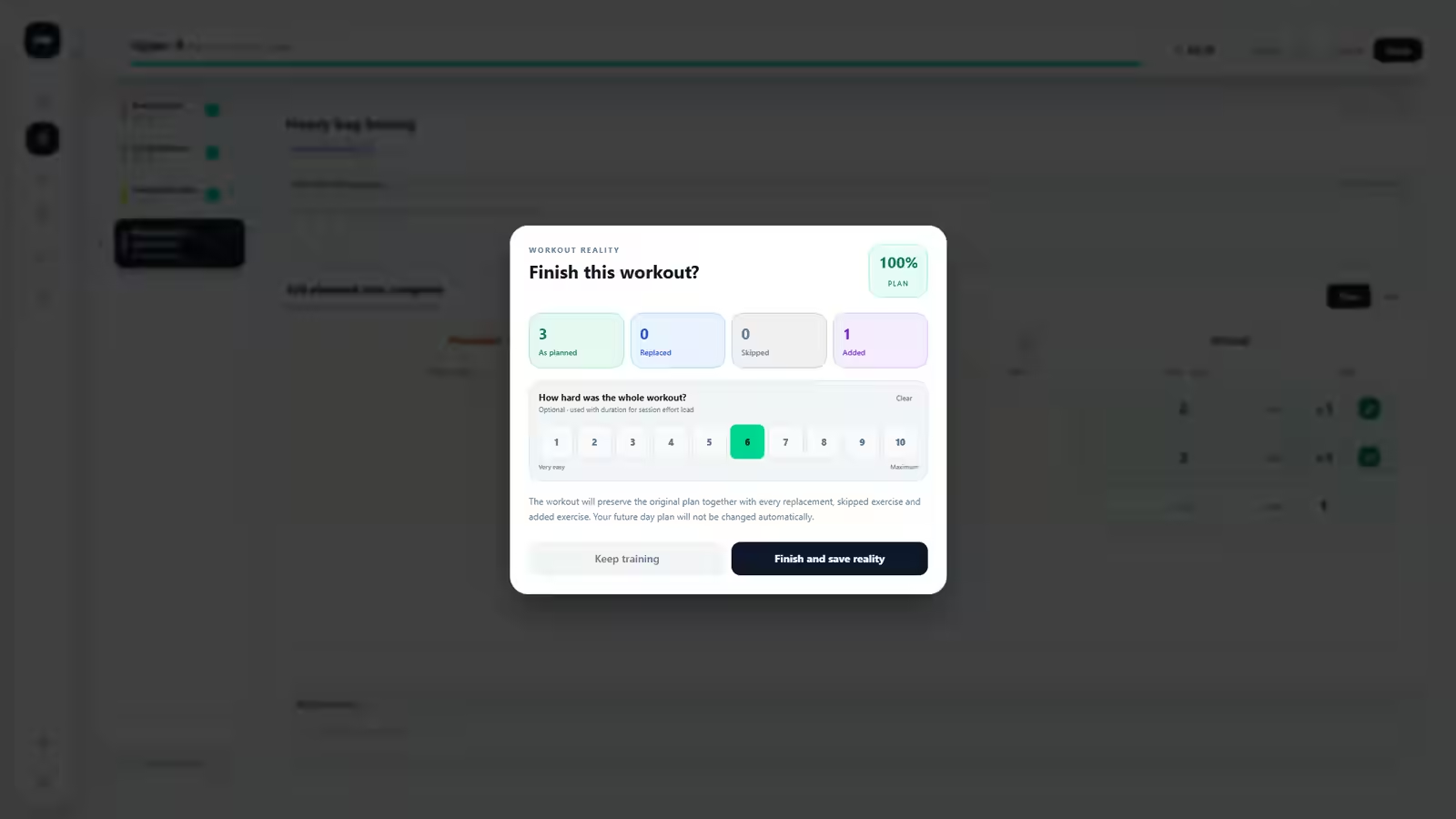
The completed workout is an immutable historical record
After finishing, the workout keeps its Training Day name, exercise names, Previous, Target, Actual, notes, replacements, skips and additions as they belonged to that moment. Renaming an exercise or changing the plan later does not rewrite the old workout.
Completed workouts cannot normally be reopened and edited, and there is no normal control for deleting one completed workout. Correct mistakes before finishing. Permanent account deletion remains available in Settings.
Open the workout archive when you want the whole session. Open an exercise history when you want every completed occurrence of that exercise in the selected cycle.
Related: Training Days and Cycles · Exercise history and calculations · Live-workout questions