A Training Day is a reusable template
Name a day for the workout it represents—such as Upper A, Full Body or Long Run—and add the exercises in the order you intend to perform them. The same day returns when the rotation comes around again.
You can have from zero to seven Training Days. With no Training Days, you can still log free workouts. Adding a day appends it to the rotation. Removing or reordering days can change what Personal Woke suggests next, but it never changes workouts you already completed.
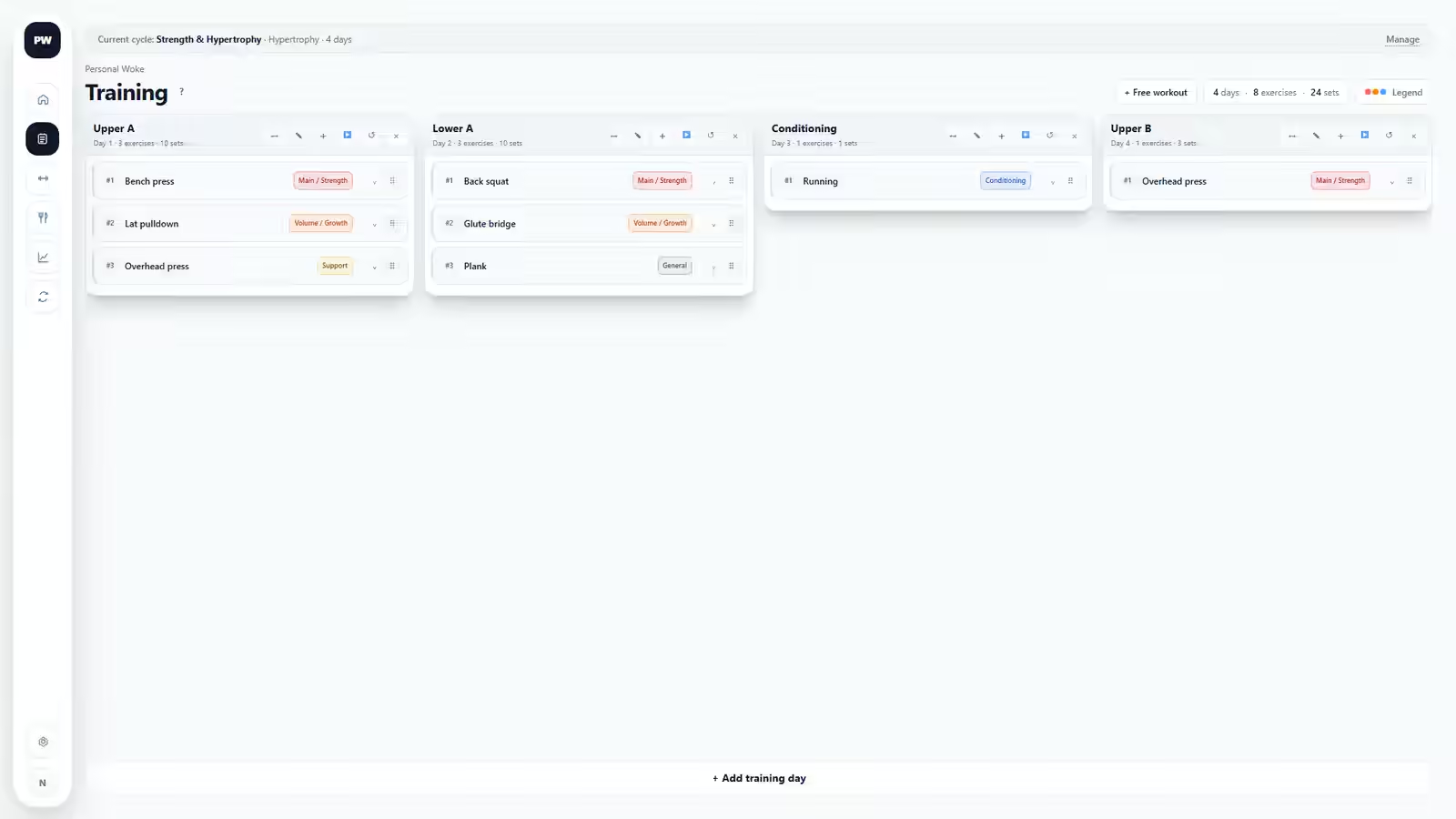
Every planned exercise has a Target
A Target describes what you intend to do when the Training Day is started. It uses the values that belong to the exercise—such as weight, reps, sets, duration, distance or custom notes. A planned exercise cannot be saved without a Target.
When the workout starts, Target is copied into the historical workout context and stays separate from Actual. Changing Target later affects future workouts only.
How the next Training Day is chosen
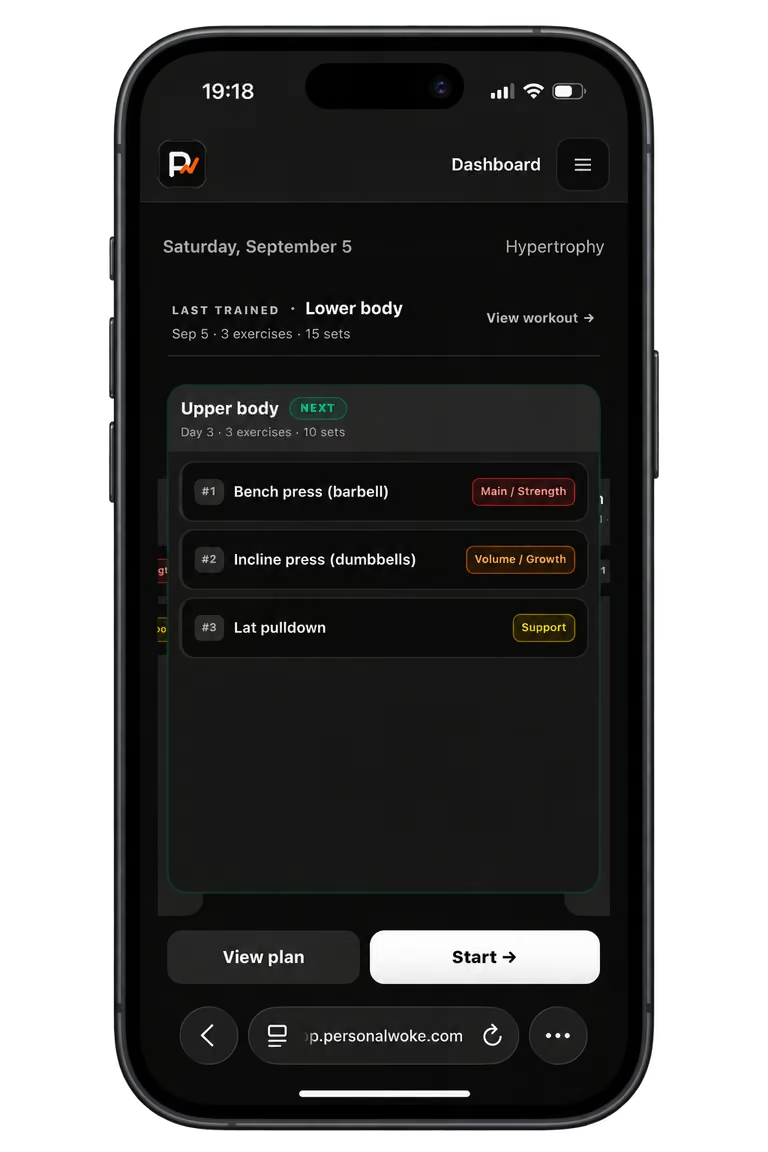
Finishing a planned workout advances the rotation from the Training Day you actually selected. You do not have to train the suggested day: choosing another planned day makes the day after that one the next suggestion.
Adding, removing or reordering Training Days changes the current rotation. Personal Woke preserves completed history, then determines the next available day from the updated order.
Plan Evolution: the versions you actually trained
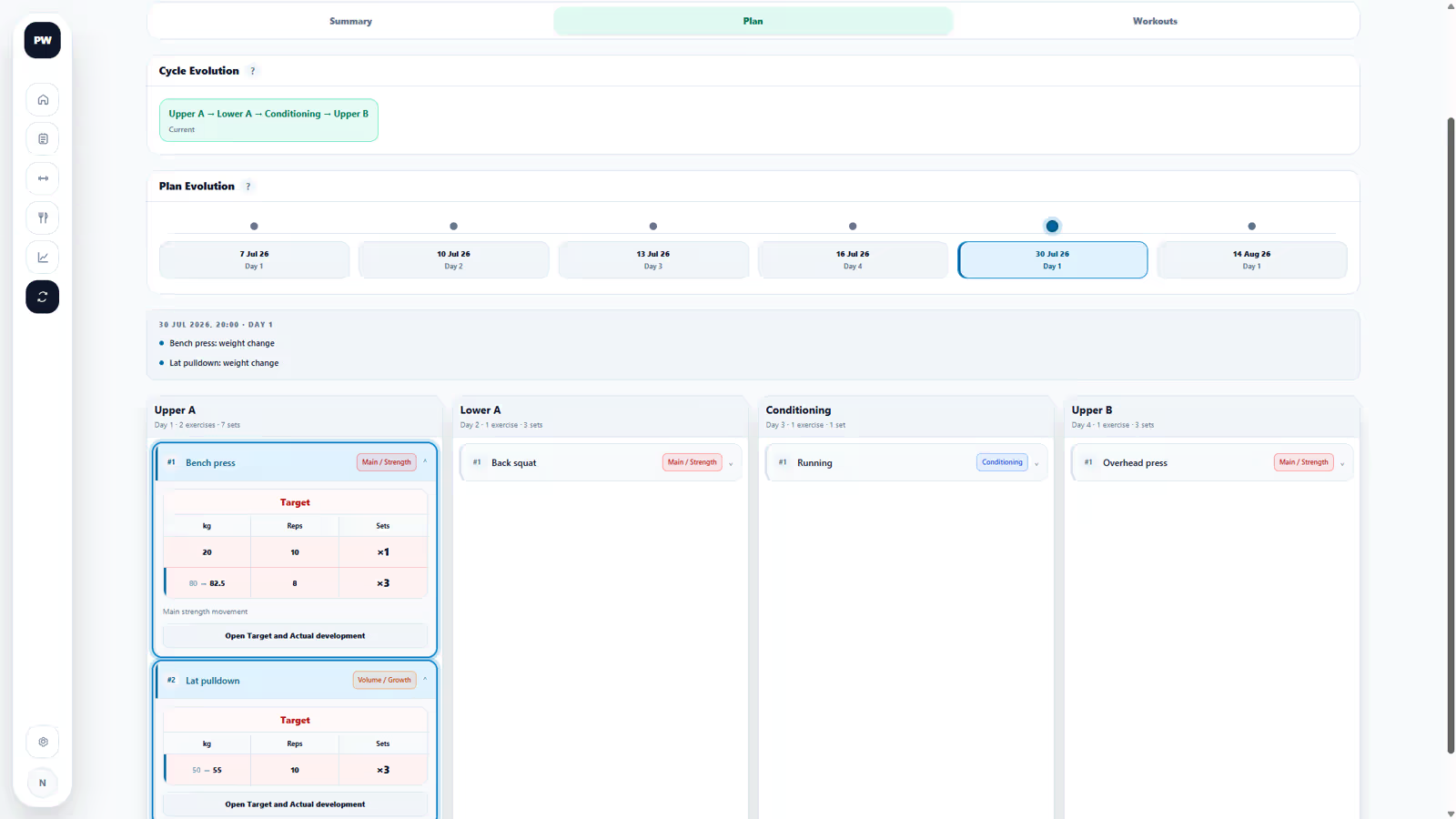
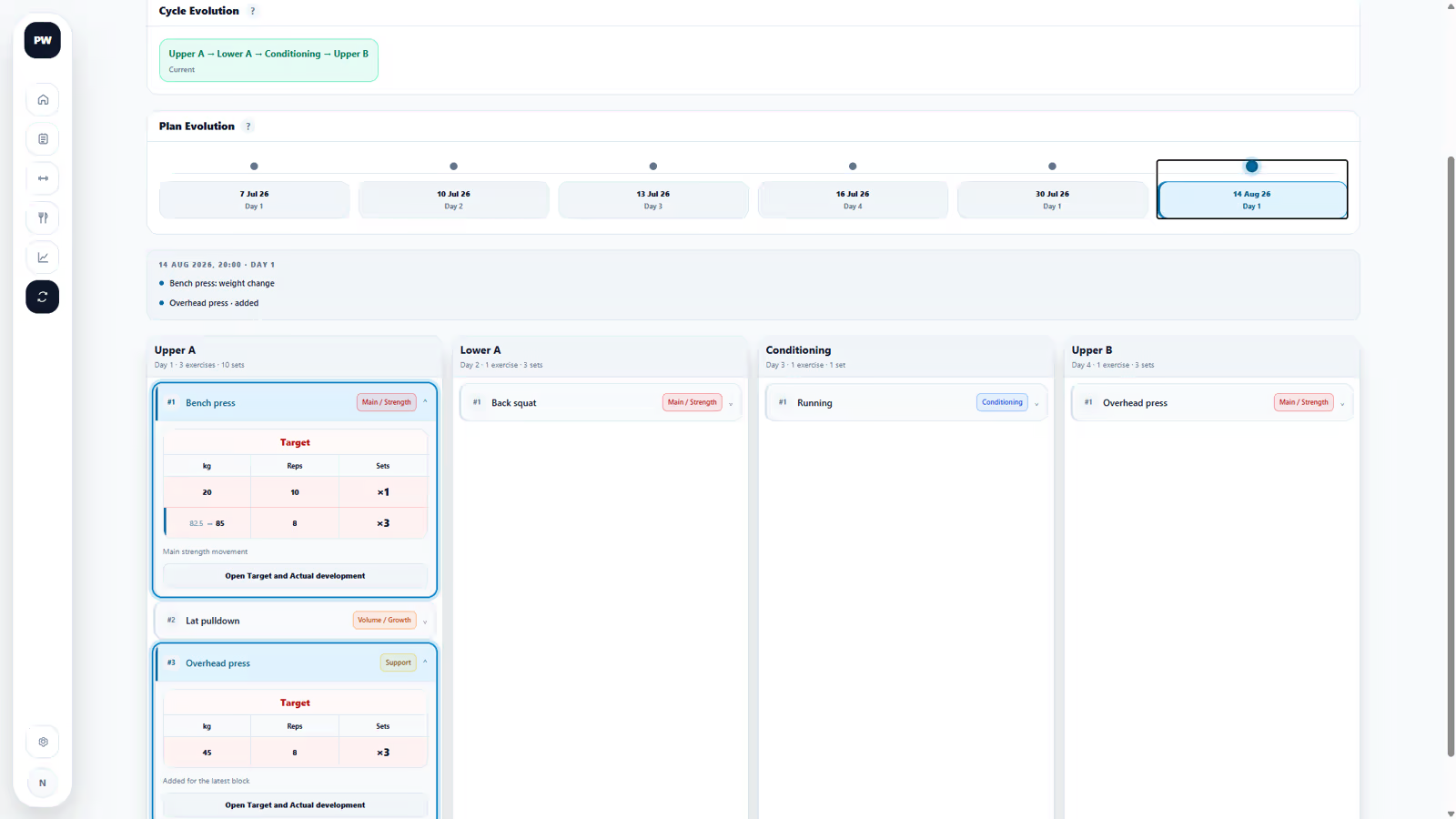
When you start a planned workout, Personal Woke saves the version of that Training Day used for the session. Plan Evolution lets you inspect those trained versions and see how its exercises and Targets changed over time.
It is not a comparison tool for two arbitrary workouts. It is the history of one reusable Training Day across the selected cycle.
Plan Evolution / Cycle Evolution
Plan Evolution follows the trained versions of one Training Day. Cycle Evolution follows changes to the rotation itself—such as adding, removing, renaming or reordering Training Days during the cycle.
Both views are historical explanations. They do not modify the current plan.
You already have a default Training Cycle
You do not need to configure cycles when you begin. Stay in the default cycle for as long as you want. Within the selected cycle, Previous and each exercise timeline use completed occurrences from that cycle.
A Training Cycle becomes useful when you want a deliberate new starting point: for example, a four-week specialist block that you want to measure separately from your general training.
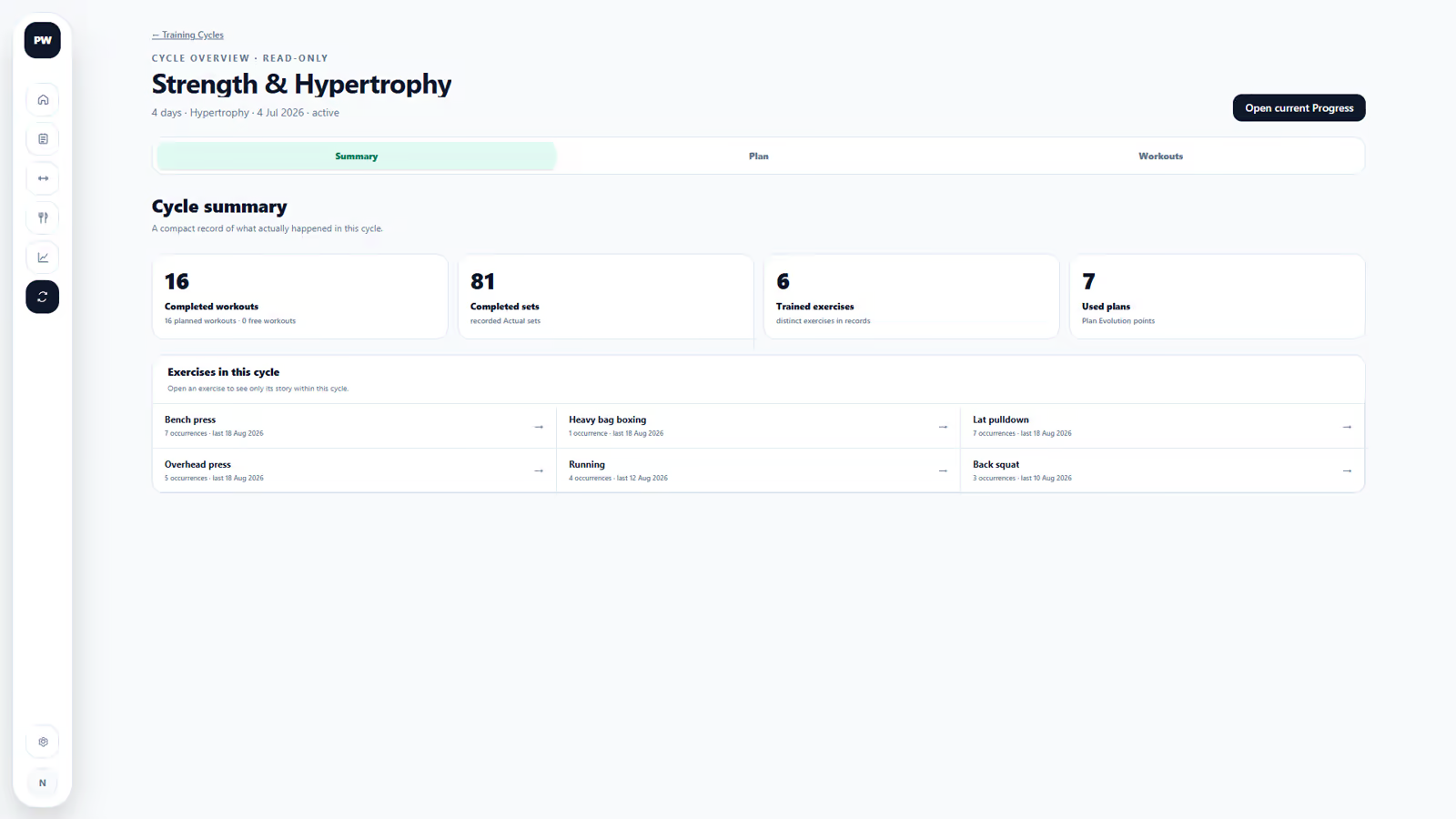
What starting a new cycle changes
Starting a new Training Cycle closes the current one and creates a fresh, separate history timeline. Previous begins again from completed occurrences in the new cycle; Personal Woke does not pull an older cycle into that comparison.
- A cycle has no required duration. Keep the default cycle indefinitely if that matches your training.
- A closed cycle is read-only and cannot be reopened.
- Its workouts, exercise timelines, Plan Evolution, Cycle Evolution and overview remain available.
- You can copy the latest Training Days from the closed cycle into the new one instead of rebuilding the plan. Workout results are not copied.
- You cannot start a new cycle while a workout is active. Finish or discard that workout first.